
Free Trial

Always receive our emails!
We have some tips for you to always receive our emails, check them out:
Look for the "Promotions" tab
Some email services have a Promotions tab.
BidHits e-mails are sent automatically and it is common for your e-mail service to place them in this tab.
Add our emails to your contacts
In your email contact list, include the addresses:
This action is useful in most email services.
Email arrived as spam?
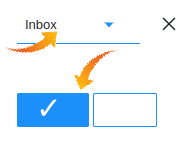
In the main e-mail services, enter the "spam" folder, select our messages and look for the "Not spam" option.
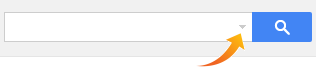
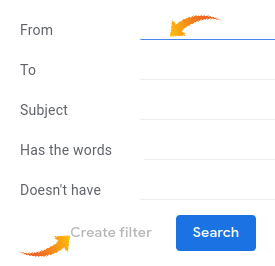
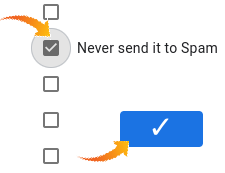
Special settings: Gmail | Yahoo Mail | Outlook (Hotmail)

Privacy policy
| © 2011-2026 BidHits is a registered trademark of Portal Genial. All rights reserved.
BidHits BidHits provides a tender aggregation service and does not participate in procurement processes.
Some information may contain inadvertent inaccuracies. Always consult the official notice for each tender.
BidHits BidHits provides a tender aggregation service and does not participate in procurement processes.
Some information may contain inadvertent inaccuracies. Always consult the official notice for each tender.